
Smash File Transfer App: The Easiest Way to Share Large Files Online
Sharing large files has become a daily need. Whether it is high-quality videos, photos, work documents, or design files, users want a fast and simple solution without complicated steps. Smash: File Transfer is a modern file-sharing app that focuses on simplicity, speed, and reliability. It allows users to send large files without creating an account and without worrying about technical limits.
This article explains what Smash File Transfer is, how it works, its features, benefits, limitations, and why it is becoming popular among users who need an easy file-sharing solution.
What Is Smash File Transfer
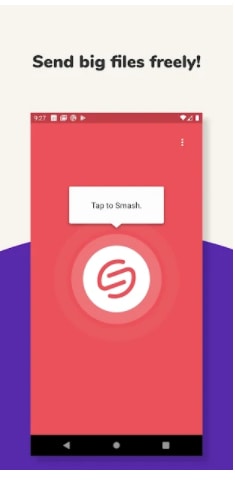
Smash File Transfer is a file-sharing application that allows users to send large files through a secure link. The app works on mobile devices and web platforms, making it accessible from anywhere. Unlike many traditional file-sharing services, Smash does not force users to sign up before sending files.
The main goal of Smash is to remove complexity from file transfers. Users can upload files, generate a sharing link, and send that link to anyone. The receiver can download the file without creating an account.
Why Smash File Transfer Is Gaining Popularity
Many users are switching to Smash because it solves common file-sharing problems. Email attachments have size limits, and cloud services often require registration or paid plans. Smash provides a cleaner and more flexible alternative.
No Mandatory File Size Limit
One of the biggest reasons users like Smash is that it does not impose a strict file size limit for free transfers. This makes it useful for sending large videos, project files, or backups.
Simple and Clean Interface
The app is designed for users who prefer simplicity. The interface is easy to understand, even for first-time users. Uploading and sharing files takes only a few steps.
No Account Required
Users can send files without signing up. This saves time and keeps the process straightforward, especially for quick transfers.
Key Features of Smash File Transfer
Smash offers several useful features that make it stand out from other file-sharing apps.
Fast File Upload and Download
Smash uses optimized servers to provide smooth upload and download speeds. Performance may depend on internet connection, but overall speed is reliable for large files.
Secure File Sharing
Files shared through Smash are protected. Links are private, and files are automatically deleted after a certain period, which helps protect user privacy.
Customizable Sharing Options
Users can customize file links, add passwords, and set expiration dates. These options are helpful when sharing sensitive or time-limited files.
Cross-Platform Support
Smash works on Android, iOS, and web browsers. This allows users to send files between different devices without compatibility issues.
File Preview Option
Before downloading, receivers can preview files. This helps users confirm the content before saving it.
How Smash File Transfer Works
Using Smash is simple and does not require technical knowledge.
Uploading Files
Users select files from their device and upload them to Smash. Multiple files can be uploaded at once.
Generating a Share Link
Once the upload is complete, Smash creates a unique link. This link can be shared through messaging apps, email, or social platforms.
Downloading Files
The receiver opens the link and downloads the file directly. No account or login is required.
Smash File Transfer for Personal Use
For personal users, Smash is useful for sharing photos, videos, and documents with friends or family. It is especially helpful when files are too large for messaging apps.
Sharing Media Files
High-resolution photos and long videos can be shared without compression. This keeps the original quality intact.
Easy Backup Sharing
Users can share backup files with their own devices or trusted contacts without relying on physical storage.
Smash File Transfer for Professional Use
Professionals also benefit from Smash, especially in creative and remote work environments.
Designers and Creators
Graphic designers, video editors, and photographers often work with large files. Smash allows them to share projects quickly with clients or team members.
Business Communication
Teams can share presentations, reports, and data files securely without complex setup.
Freelancers and Remote Workers
Freelancers can send completed work to clients easily, even if the client does not use the same tools or platforms.
Advantages of Smash File Transfer
Smash provides several advantages that make it a strong option in the file-sharing market.
Time-Saving Process
The quick upload and share system saves time compared to traditional cloud services.
No Storage Management Hassle
Files are automatically deleted after expiration, so users do not need to manage storage manually.
User-Friendly Experience
The app is designed for everyday users, not just tech experts.
Free to Use
Basic features are available for free, making it accessible to a wide audience.
Limitations of Smash File Transfer
While Smash is useful, it also has some limitations.
Internet Dependency
A stable internet connection is required for smooth uploads and downloads.
File Availability Time
Files are stored temporarily. Users must download files before they expire.
Advanced Features May Be Limited
Some advanced customization options may require premium access, depending on platform policies.
Smash File Transfer vs Other File Sharing Apps
Compared to other file-sharing services, Smash focuses more on ease of use rather than long-term cloud storage.
Compared to Email Attachments
Smash allows much larger files and avoids email size restrictions.
Compared to Cloud Storage Services
Unlike cloud storage apps, Smash does not require account creation or long-term storage management.
Compared to Messaging Apps
Messaging apps often compress files. Smash preserves original file quality.
Privacy and Security Considerations
Smash takes user privacy seriously. Files are encrypted during transfer, and automatic deletion reduces the risk of unauthorized access.
Users can also add passwords to links, which adds an extra layer of protection when sharing sensitive data.
Who Should Use Smash File Transfer?
Smash is suitable for a wide range of users.
-
Students sharing assignments and projects
-
Professionals sending work files
-
Content creators sharing large media files
-
Anyone who needs quick and simple file sharing
The app is especially useful for users who want a fast solution without signing up for another service.
Tips for Using Smash File Transfer Effectively
Use Strong Internet Connection
A stable connection improves upload speed and reduces interruptions.
Set Expiration Dates Carefully
Make sure the receiver has enough time to download the file.
Protect Sensitive Files
Use password protection when sharing important or private files.
Future Potential of Smash File Transfer
As digital file sizes continue to grow, services like Smash are becoming more important. With improvements in speed, security, and customization, Smash has the potential to become a leading file-sharing solution for both personal and professional users.
Conclusion
Smash: File Transfer is a simple and reliable app designed for easy large file sharing. It removes common barriers such as file size limits, account requirements, and complicated interfaces. With secure transfers, cross-platform support, and a user-friendly experience, Smash is a practical choice for anyone who needs fast and temporary file sharing.
For users looking for a clean, efficient, and modern file-sharing solution, Smash File Transfer offers exactly what is needed without unnecessary complexity.